
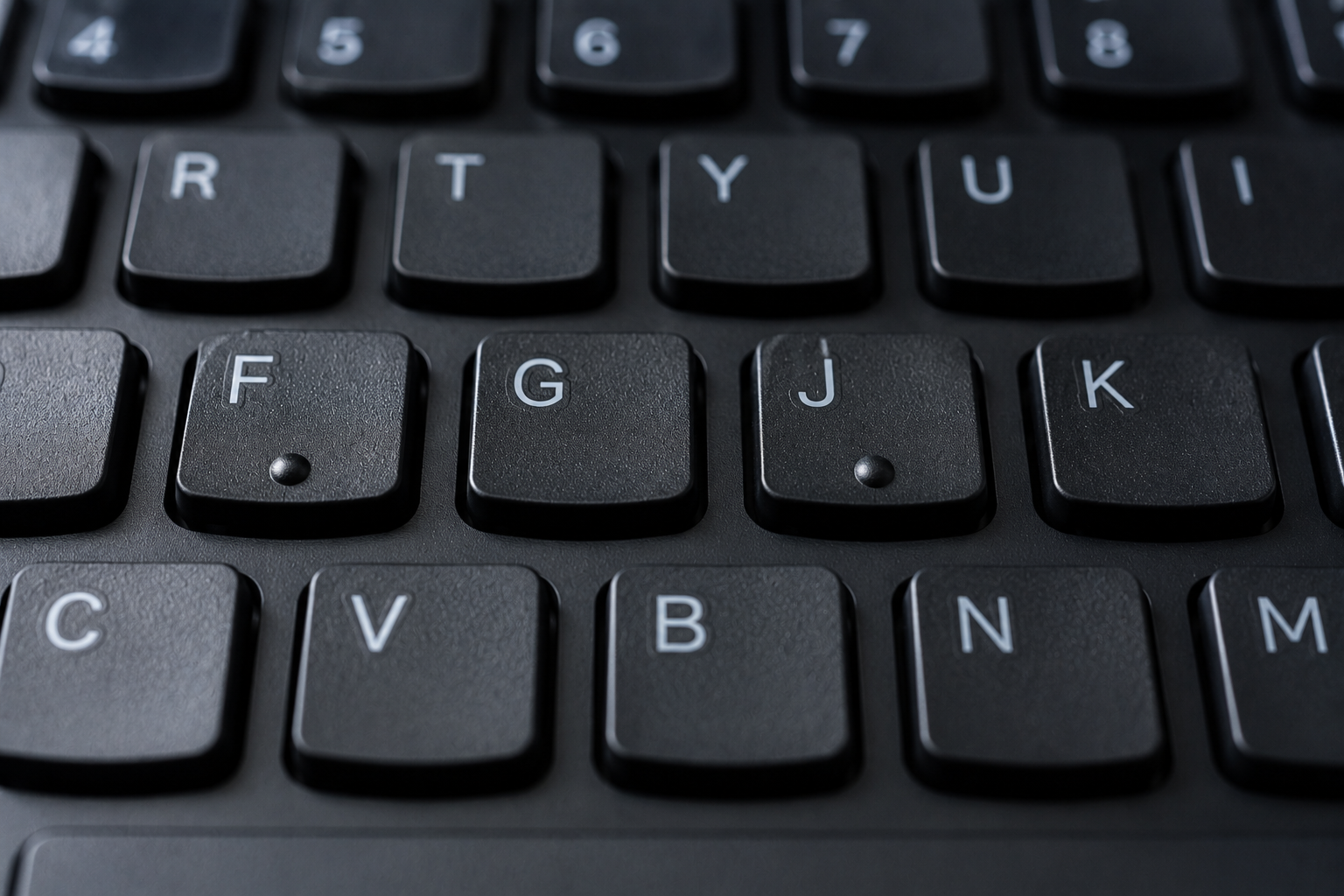
Look down at your computer keyboard and you may notice two tiny raised bumps: one on the F key and another on the J key.
They might seem like small manufacturing marks or decorative details, but they serve a surprisingly important purpose. Those tiny ridges are tactile guides designed to help your fingers locate the home row without needing to look at the keyboard.
For millions of people who use a keyboard every day, those little bumps are quietly doing a big job.
The hidden landmarks on your keyboard
The standard QWERTY keyboard is designed around a typing system in which the fingers return to a central resting position known as the home row.
For a traditional English-language keyboard, the home-row letters are:
A S D F G H J K L ;
When touch typing, the left hand is generally positioned over A, S, D and F, while the right hand rests over J, K, L and ;.
The raised bumps on F and J act as physical landmarks.
A typist can place their index fingers on those two keys, feel the bumps, and immediately know where their hands are positioned. From there, the other fingers can naturally fall into place on the home row.
It means you can find the correct typing position without taking your eyes away from the screen.
Why are the bumps specifically on F and J?
The answer lies in finger positioning.
In the traditional touch-typing method, the left index finger rests on F, while the right index finger rests on J. These two fingers act as reference points for the rest of the hands.
Once your index fingers locate F and J, the layout becomes easier to navigate:
- Your left-hand fingers can align with A, S, D and F.
- Your right-hand fingers can align with J, K, L and the semicolon key.
- The thumbs can rest near the spacebar.
The raised markers effectively tell your hands: “You are in the right place.”
That small tactile feature allows experienced typists to move their fingers across the keyboard and then return to the correct position without visually checking every key.
The key to touch typing
Touch typing is based on the idea that a person can type by developing muscle memory rather than constantly searching for individual letters.
At first, the keyboard may feel like a map that has to be visually explored. But with practice, the brain begins to associate specific finger movements with specific letters.
The F and J bumps provide a reliable starting point.
Imagine typing a long email, writing a report or coding for hours. Your hands may move across the keyboard constantly, and your fingers may occasionally lose their exact position.
Instead of looking down, you can simply feel for the raised bumps.
Within a second, your index fingers can reorient themselves.
This may sound like a minor convenience, but over thousands of keystrokes, it can make typing faster, smoother and more efficient.
They are useful even if you are not a professional typist
You do not need to be a professional writer, programmer or data-entry specialist to benefit from the F and J markers.
Most people who type regularly use them without consciously thinking about it.
If you have ever placed your hands on a keyboard and somehow immediately known where your fingers should go, those tactile markers may have played a role.
They are especially useful when:
- Typing while looking at a document or screen
- Working in low-light conditions
- Returning your hands to position after using a mouse
- Learning touch typing
- Using a keyboard without constantly looking down
The bumps create a physical reference system that remains available regardless of lighting or screen position.
A small feature with an accessibility benefit
The raised markers can also be helpful for people with visual impairments.
Because the bumps can be felt rather than seen, they provide tactile information about the keyboard layout.
The concept reflects an important principle in product design: sometimes the most useful features are not visual at all.
A tiny change in texture can communicate information directly through touch.
For a keyboard user, the raised markers on F and J can help establish orientation and make it easier to navigate the layout independently.
Not every keyboard looks exactly the same
While F and J are the most common home-row reference points on standard QWERTY keyboards, the exact appearance of the markers can vary.
Some keyboards use small horizontal bars. Others use dots, short raised lines or subtle textured surfaces.
Laptop keyboards may have extremely small markers, while desktop keyboards can feature more noticeable ridges.
The principle, however, remains the same: the keys provide a tactile way to locate the correct hand position.
You may also notice similar tactile markers on other devices. Telephone keypads, ATMs, calculators and accessibility-focused interfaces often use raised features to help users identify important buttons without relying entirely on sight.
The design is so common that many people never notice it
Perhaps the most interesting thing about the F and J bumps is that they are almost invisible in everyday life.
They are a classic example of functional design hiding in plain sight.
The feature does not require instructions, software updates or batteries. It simply works through touch.
Place your index fingers on the keyboard, feel the tiny ridges, and your hands know where to go.
In a world filled with increasingly complex technology, that is a remarkably simple solution.
So the next time you sit down at a computer, take a closer look at the F and J keys. Those tiny bumps are not accidental marks.
They are built-in landmarks—quietly guiding your fingers back to the home row and helping you type without ever having to look down.
Disclaimer
This article is intended for educational and informational purposes. Keyboard layouts, tactile markers and typing conventions can vary depending on the language, manufacturer, device and regional keyboard standard. The description above primarily refers to the common QWERTY keyboard layout and traditional touch-typing conventions.
Learn more about our site on contactarchive2in.com
Contact us on our email id contactarchive2in@gmail.com
Leave a Reply
You must be logged in to post a comment.